Wednesday, 7 March 2012


//---------------------------------------------

//Player 1


//---------------------------------------------


var canvas, ctx, sprites,
    width = 600,
    height = 400,
    rightKey = false,
    leftKey = false,
    upKey = false,
    downKey = false,
    char1_x = (width / 2) - 25, char1_y = height - 90, char1_w = 87, char1_h = 85,
char2_x = (width / 2) + 25, char2_y = height - 90, char2_w = 87, char2_h = 85,
    srcX = 10, srcY = 0;
//Setting up on Screen sprites postion on the page
//---------------------------------------------

function clearCanvas() {
  ctx.clearRect(0,0,600,400);
}
function drawchar1() {
  if (rightKey) {
    char1_x += 5;
    srcX = 20;
  } else if (leftKey) {
    char1_x -= 5;
    srcX = 83;
  }
  ctx.drawImage(sprites,srcX,srcY,char1_w,char1_h,char1_x,char1_y,char1_w,char1_h);
  if (rightKey == false || leftKey == false) {
    srcX = 10;
  }
}
function loop() {
  clearCanvas();
  drawchar1();
  drawchar2();
}
function keyDown(e) {
  if (e.keyCode == 39) rightKey = true;
  else if (e.keyCode == 37) leftKey = true;
  else  if (e.keyCode == 65) rightKey2 = true;
  else if (e.keyCode == 68) leftKey2 = true;
}
function keyUp(e) {
  if (e.keyCode == 39) rightKey = false;
  else if (e.keyCode == 37) leftKey = false;
 else if (e.keyCode == 65) rightKey2 = false;
  else if (e.keyCode == 68) leftKey2 = false;
}

//-------------------------------------------


function drawchar2() {
  if (rightKey2) {
    char2_x += 5;
    srcX = 20;
  } else if (leftKey2) {
    char2_x -= 5;
    srcX = 83;
  }
  ctx.drawImage(sprites2,srcX,srcY,char2_w,char2_h,char2_x,char2_y,char2_w,char2_h);
  if (rightKey2 == false || leftKey2 == false) {
    srcX = 10;
  }
}


//Sprite movement on screen


//---------------------------------------------


(function init() {
  canvas = document.getElementById('canvas');
  ctx = canvas.getContext('2d');
  sprites = new Image();
    sprites2 = new Image();
  sprites.src = 'characterwalk1.png';
  sprites2.src = 'characterwalk2.png';
  setInterval(loop, 1000/30);
  document.addEventListener('keydown', keyDown, false);
  document.addEventListener('keyup', keyUp, false);
})();


//functions including loading


//---------------------------------------------

//Player 2

//---------------------------------------------


//init();// JavaScript Document

index for game

<!DOCTYPE html>
<html lang="en">
<head>

Work In Progress

<meta charset="utf-8" />
<title>HTML5 Canvas Spritesheet Example</title>
<style>
body {
  margin:0;
  padding:0;
  background-color:#000;
}
canvas {
  display:block;
  margin:20px auto 0;
  border:5px #ccc;
  background-image:url(background%201.gif)
}
</style>
</head>

<body>
<canvas id="canvas" width="600" height="400"></canvas>
<script src="sprite_scripts.js"></script>
</body>
</html>

Concrete Cafe

Using lasers, bottles and Light sensors to produce sound. The Sensor itself will be placed in the lid of the  bottle itself with a laser stuck to the bottom of the bottle. The consistency of the water and out side interference such as a tap will refract the laser causing different frequencies to be produced, therefore producing different sound.

Thursday, 9 February 2012

background


Cartoon Background example of plymouth area backgrounds

Wednesday, 18 January 2012

Game for Html 5

We have been tasked with designing a HTML 5 piece of media such as a game. First thoughts that came to mind where those of old games we had played on the Internet from sidecscroll 2d games to the newer 3d shooting games.

HTML 5 being a relatively new coding language, leaves not alot to search for online in the way of games coded with HTML 5. Examples we have scene involve those fairly similar to java games and  fairly basic design and ideas.

We want to create a fighting 2d game such as those found like Mortal Kombat. The original old school Mortal Kombat used digital uploaded images of real people which are then animated to fight one another on digital backgrounds in a side scroll arcade style beat-em up game. This is something we would like to base our ideas towards the HTML 5 media piece.


Introduction

This benchmark is a simple maze editor intended for creating a data file that could be used as input to a 3D maze simulation. The maze editor is basically a simple drawing program. It allows the user to specify the location of walls and obstacles using direct manipulation. The user specifies the object to add to the maze via a tool palette. Several menu commands are available to aid in drawing, such as snap to grid. This benchmark shares similar characteristics with maze editors used for editing game maps as well as drawing programs such as MacDraw. It primarily tests direct manipulation and selection of graphic objects, which may be of small dimensions. Some additional complications such as rubber-banding feedback and snapping are also involved. The clipboard facility of the system is also tested.


http://www.semitech.com/marc/benchmark/


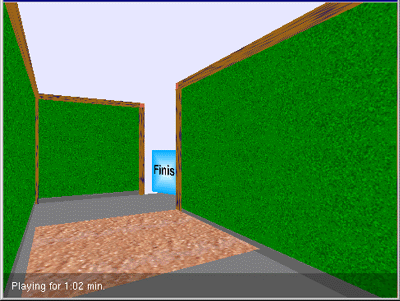
Our media piece needs to be based local. Local for us being Plymouth means it will need a Plymouth setting. The idea of using something such as maze with each wall segmented being a different image from Plymouth to build up a 3D map of the area, for something similar too Google maps.

Initial idea

Mortal Kombat meets Plymouth...Plymouth Locations, Plymouth Characters...Plymouth Beat-em up.